
New calendar
Saint Philip’s has a new calendar on its website. It’s designed to help you stay connected with all the different activities at Saint Philip’s, and makes it easier to find what you’re looking for.
The calendar is on the website, www.stphilipstucson.org. Simply navigate to the “News & Events” tab and click on the “Calendar” page.
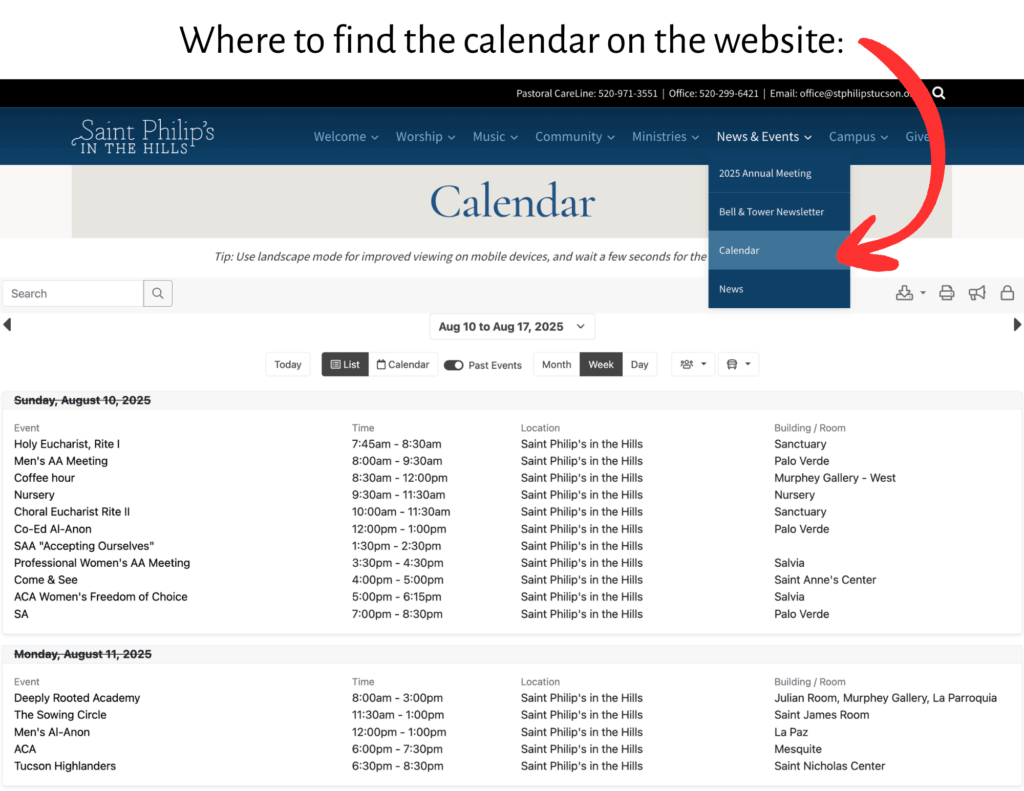
Please note that the default view of the calendar is a weekly view. Be sure to scroll down to the bottom of the page if you open the calendar on a Thursday instead of a Monday. You can also change the view by clicking “monthy” or “daily, and you can switch to a standard calendar view instead of the list default.
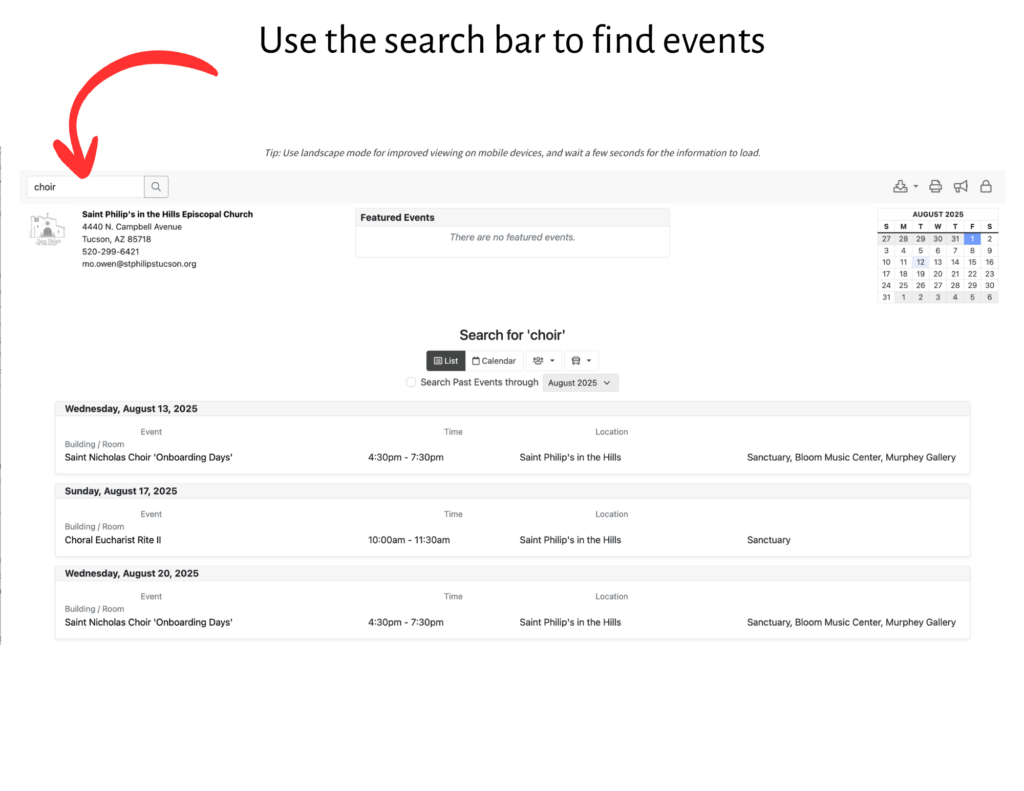
Search functions: This calendar also comes with many search functions! The first one is the search bar at the top left hand corner of the calendar page. Type in a keyword such as “Choir” and see all the related events.
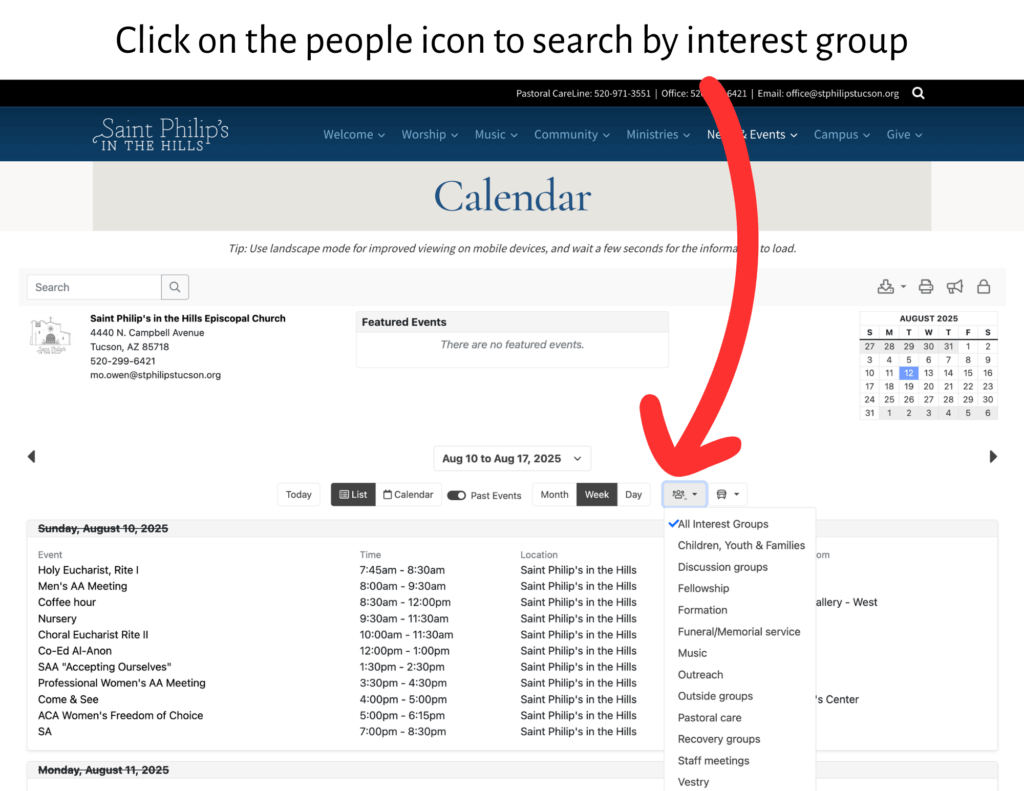
Search by Interest Group: One of the most exciting new features is the ability to filter events by interest group. Looking for choir rehearsals, volunteer opportunities, or specific ministry meetings? Just click on the icon with the people to bring up a list of different groups. From there, you can select the group you’re interested in and see only those events.
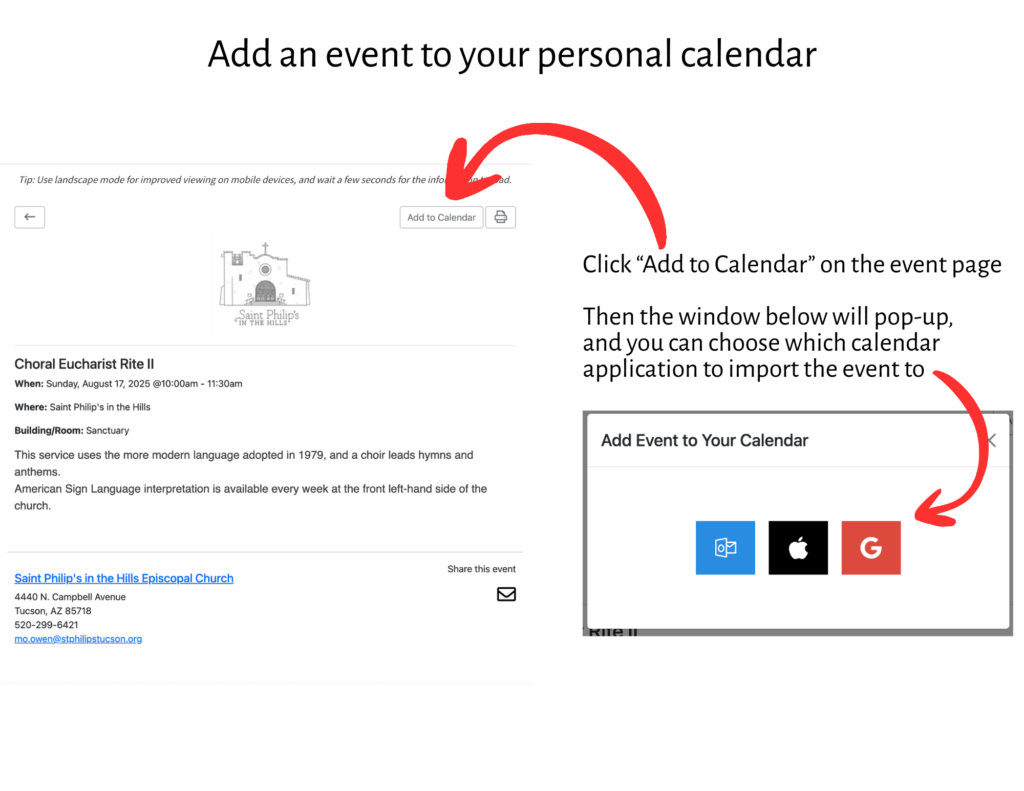
Add Events to Your Personal Calendar: Found an event you don’t want to miss? You can now add it directly to your personal calendar with just a few clicks. Simply click on the event to open its details page, and then select the “Add to Calendar” button. A window will pop up, prompting you to choose which calendar application you’d like to import the event to. This makes it simple to keep all your important dates in one place.
We hope this new calendar makes it easier for you to participate in the life of our parish.